
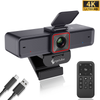
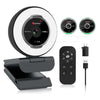
 967Ultra
 Angetube 913Ai
 Angetube 866MAX
 Angetube 914Max
 PTZ 4K 871Ai
 Angetube @30fps 863Plus
 Angetube @60FPS 873Ai
 Angetube 967Pro
 Angetube 967
 Angetube 862Pro
 Angetube 680C
 Angetube 920
 Angetube 963
 Angetube 962
 Angetube 925c
 862Pro
 863PLUS
 913AI
913AI
What Is PDAF Autofocus? How It Makes Your Webcam Video Sharper
Sep 21, 2026

Have you ever leaned closer to your webcam during a video call, only to find your face suddenly looks blurry?
Or maybe you hold a product up to the camera during a livestream, and the webcam takes a few seconds to find focus again.
These small focus problems can make a big difference when you're on camera.
That's where PDAF autofocus comes in.
PDAF, short for Phase Detection Autofocus, is an autofocus technology designed to help cameras focus faster and more accurately. It is increasingly appearing in modern webcams, especially those designed for streaming, content creation, online teaching, and professional video calls.
But what exactly is PDAF? How does it work? And do you really need a PDAF autofocus webcam?
Let's take a closer look.
What Is PDAF Autofocus?
PDAF stands for Phase Detection Autofocus.
In simple terms, PDAF helps a camera determine which direction and approximately how far the lens needs to move to achieve focus.
Instead of simply moving the lens back and forth while checking whether the image looks sharper, phase detection uses information from the incoming light to help determine the focus adjustment.
Think of it like this:
Traditional focus search:
"Is this sharper? No. Move a little. Is this sharper? Still no. Try again."
Phase detection:
"The subject is slightly out of focus in this direction. Move the lens this way."
The result can be faster and more responsive focusing, particularly when the subject or camera distance changes.
For a webcam, that can be especially useful when you're not sitting perfectly still in front of the camera.
Why Does Your Webcam Sometimes Lose Focus?
Before talking about PDAF, it's worth understanding why autofocus matters in the first place.
A webcam needs to keep your subject within an acceptable focus range. But during a normal video call or livestream, people naturally move.
You might:
- Lean toward the camera
- Sit farther away
- Move from side to side
- Hold a product up to the lens
- Write something on paper
- Show a book or document
- Gesture while talking
- Move around during a presentation
When the distance between the camera and subject changes, the lens may need to adjust its focus.
If the focusing system reacts slowly, you may notice:
Sharp → blurry → searching → sharp again
For a casual video call, this might only be a minor annoyance.
For livestreaming, teaching, product demonstrations, or content creation, however, repeated focus changes can become much more noticeable.
PDAF vs. Traditional Autofocus: What's the Difference?
Not every autofocus system works in exactly the same way.
Many camera systems use contrast information to determine whether an image is sharp. This can work well, but depending on the scene, the camera may need to search through different focus positions before finding the sharpest result.
PDAF takes a different approach by using phase information to estimate how the lens should move.
Here's a simplified comparison:
| Feature | Conventional Autofocus | PDAF Autofocus |
|---|---|---|
| Focus adjustment | Searches for sharpness | Uses phase information |
| Focus response | Can vary by scene | Designed for faster response |
| Moving subjects | May require more adjustment | Better suited to changing distances |
| Product demonstrations | May refocus visibly | Designed to react quickly |
| Everyday video calls | Generally suitable | More responsive when you move |
Of course, autofocus performance depends on more than the focusing technology alone.
The lens, sensor, lighting, subject contrast, camera processing, and software all influence the final result.
So PDAF isn't a magic button for perfect focus. It is one important part of the overall camera system.
When Does PDAF Make the Biggest Difference?
The benefits of fast autofocus become easier to understand when you look at real-world situations.
1. Video Calls and Online Meetings
For a typical meeting, you might think autofocus isn't particularly important.
But consider what happens during a long meeting.
You lean forward to read something.
You sit back.
You turn toward another monitor.
You move closer to the camera.
A responsive autofocus system can help keep your face sharp as your distance changes.
This is especially useful if your webcam is positioned relatively close to your desk rather than several feet away.
2. Online Teaching and Presentations
Teachers and presenters often need to move between different subjects.
You may talk directly to the camera and then hold up:
- A book
- A worksheet
- A presentation board
- A product
- A handwritten note
This creates a changing focus distance.
A fast autofocus webcam can make these transitions smoother.
Instead of manually adjusting the camera every time you show something, the webcam can automatically adjust to the new subject.
3. Product Demonstrations
This is one of the situations where autofocus becomes particularly noticeable.
Imagine you're reviewing a keyboard.
You start by talking to the camera:
"Today we're looking at this new keyboard."
Then you bring the keyboard close to the webcam.
A fixed-focus camera may not be able to keep both your face and the product equally sharp.
An autofocus webcam can recognize the change in subject distance and adjust the lens.
For creators who regularly show products, documents, artwork, electronics, or other objects on camera, responsive autofocus can make the video feel much more polished.
4. Livestreaming
Streamers don't always remain in exactly the same position.
You might:
- Lean toward the camera
- Reach for something
- Hold up a product
- Adjust your setup
- Move around your desk
A webcam with responsive autofocus can help maintain a sharper image as your position changes.
This doesn't mean every streamer needs PDAF.
If you always sit at exactly the same distance from the camera, a fixed-focus or slower autofocus webcam may already work well.
The key is matching the camera to how you actually use it.
5. Content Creation
For YouTube videos, tutorials, unboxing videos, and desk setups, autofocus can become part of the creative workflow.
For example, imagine you're filming a tutorial.
You start by explaining something to the audience.
Then you bring a small component toward the camera to show a detail.
The camera needs to transition between:
You → Product → You
A responsive autofocus system can make these transitions happen without interrupting the recording.
PDAF Isn't the Only Thing That Makes a Good Webcam
This is important.
A webcam shouldn't be judged by autofocus technology alone.
A camera with excellent autofocus can still produce disappointing video if its sensor, lens, lighting, or image processing isn't up to the task.
When choosing a webcam, consider the complete system.
Resolution
Higher resolution can provide more detail and give you additional flexibility for cropping and reframing.
For example, a 4K webcam can capture significantly more image detail than a 1080p webcam.
If you're deciding between the two, our guide “4K vs 1080p Webcam: Which One Should You Choose?” can help you understand the differences.
Field of View
The field of view determines how much of the scene your webcam can capture.
A narrower angle can work well for a single-person desk setup.
A wider angle can be useful for group calls, presentations, and larger workspaces.
For more information, see our guide:
“Is a 120° Webcam Too Wide? The Truth About Webcam Field of View.”
Lighting
Even the best autofocus system needs enough visual information to work effectively.
Poor lighting can make focusing and image processing more difficult while also reducing overall image quality.
Lens Quality
The lens affects sharpness, distortion, brightness, and overall image character.
A high-resolution sensor doesn't automatically guarantee a sharp image if the optical system isn't capable of taking advantage of it.
Microphone Quality
Video isn't the only part of a video call.
Clear audio is equally important, particularly when you're streaming, teaching, or participating in meetings.
That's why features such as noise cancellation and microphone pickup should also be considered.
How PDAF Works With 4K Video
This is where several webcam technologies can complement each other.
Imagine a webcam with:
4K resolution + PDAF autofocus + wide-angle lens
Each feature solves a different problem.
4K provides detailed video.
Wide angle captures more of the scene.
PDAF helps the camera respond when the subject distance changes.
Together, they can make a webcam more versatile for everything from video meetings to product demonstrations.
However, it's important not to assume that adding more specifications automatically produces better video.
The quality of the sensor, lens, image processing, lighting, and autofocus system all matter.
The best webcam is the one whose features work well together for your particular setup.
PDAF vs. Fixed Focus: Which One Do You Need?
Not everyone needs autofocus.
A fixed-focus webcam can be perfectly suitable if:
- You always sit in the same position
- Your camera distance doesn't change
- You mainly use the webcam for basic video calls
- You don't show products or documents
- You want a simple setup
An autofocus webcam makes more sense if:
- You frequently move closer or farther from the camera
- You livestream
- You create videos
- You demonstrate products
- You teach online
- You hold objects up to the camera
- You want more flexibility in your setup
And if you want particularly responsive focusing, PDAF autofocus is a feature worth looking for.
What Should You Look for in an Autofocus Webcam?
Before buying an autofocus webcam, don't stop at the word "autofocus."
Look at the complete specification.
1. Autofocus Technology
Find out whether the webcam uses PDAF, another autofocus system, or fixed focus.
2. Resolution
Consider whether 1080p is sufficient or whether 4K makes sense for your workflow.
3. Field of View
Choose a field of view that matches your space.
A wider angle isn't automatically better.
4. Low-Light Performance
If your room lighting changes throughout the day, automatic light correction and good image processing can be valuable.
5. Microphone
For meetings and streaming, clear voice pickup is just as important as image quality.
6. Privacy
A physical privacy cover can provide a simple way to block the camera when it's not in use.
7. Compatibility
Check whether the webcam works with your operating system and the applications you use, such as Zoom, Microsoft Teams, Google Meet, OBS, or other video software.


