
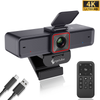
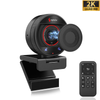
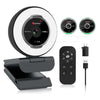
 967Ultra
 Angetube 913
 Angetube 866MAX
 Angetube 914pro
 PTZ 4K 871Ai
 Angetube 863plus
 Angetube @60FPS 873Ai
 Angetube 967Pro
 Angetube 967
 Angetube 862pro
 Angetube 628
 Angetube 920
 Angetube 963
 Angetube 962
 Angetube 827


After testing 12 of the most popular webcams for Zoom meetings in 2026, we found the Angetube 967Ultra is the best overall Zoom webcam for most remote workers and business users, with sharp 4K video, excellent low-light performance, and reliable noise-canceling microphones. For budget users, the Angetube 925c offers great 1080P video and long-range mics at an affordable price, while the Angetube 680c is perfect for students and casual users on a tight budget.
With hybrid work and remote meetings now the norm for most offices, a bad webcam can make you look unprofessional, grainy, or dark on important client calls, job interviews, and team meetings. Laptop built-in webcams are almost always low-quality, with bad low-light performance and terrible microphones that pick up every bit of background noise. A dedicated external webcam is one of the easiest upgrades you can make to look and sound better on every Zoom call.
Why You Need a Dedicated Webcam for Zoom in 2026
Even the best laptop webcams (like the ones in new MacBooks and premium Windows laptops) only offer 720P or basic 1080P video, with tiny sensors that perform poorly in low light. Most people work in home offices with less-than-perfect lighting, and built-in webcams will make you look grainy, washed out, or like a silhouette if you have a window behind you.
Dedicated external webcams solve all these problems, and offer features built-in webcams don't:
- Much larger sensors for sharper, clearer video even in dark rooms
- Autofocus that stays sharp even when you move or hold up documents
- Noise-canceling microphones that filter out background noise (fans, keyboard clicks, traffic)
- Physical privacy covers for security when you're not on calls
- Universal compatibility with Zoom, Teams, Webex, and every other video app
What to Look for in a Webcam for Zoom Meetings
Not every webcam works well for business calls. These are the most important features to look for when choosing a Zoom webcam in 2026:
1. Video Resolution & Frame Rate
For most business calls, 1080P@30fps is perfectly sufficient and looks professional. If you do frequent client presentations, job interviews, or want the absolute sharpest video, opt for a 4K webcam. 60fps is not necessary for most Zoom calls (it's mostly for streamers and gamers), but it does make motion look smoother.
2. Autofocus & Low-Light Performance
Good autofocus is non-negotiable for work calls. Look for webcams with fast, reliable autofocus that doesn't hunt or go blurry when you move. Low-light correction is also critical — most home offices don't have perfect studio lighting, so a webcam that can automatically adjust exposure to make you look well-lit even in dim rooms is a huge upgrade.
3. Microphone Quality
You don't need a separate headset if your webcam has good microphones. Look for dual noise-canceling microphones that can pick up your voice clearly from 3-10 feet away, and filter out background noise like fans, keyboard clicks, or people talking in the background.
4. Privacy Features
Every business webcam should have a built-in physical privacy cover, so you can physically block the lens when you're not on calls. This is far more secure than software-based privacy controls, and required by many company IT policies.
5. Compatibility
All good Zoom webcams are plug-and-play, with no drivers required, and work with both Windows and Mac, as well as every major video app: Zoom, Microsoft Teams, Cisco Webex, Google Meet, GoToMeeting, and Slack. If you have a new laptop with only USB-C ports, look for a webcam that includes a USB-C adapter.
The Best Webcams for Zoom Meetings in 2026
Best Overall: Angetube 967Ultra 4K Zoom Webcam
The Angetube 967Ultra is the best webcam for Zoom meetings for most business users in 2026, offering professional-level features at a mid-range price. It delivers sharp 4K@30fps video (or 1080P@60fps for smoother motion), fast PDAF autofocus that stays sharp even when you move around or hold up documents to the camera, and advanced low-light correction that makes you look well-lit even in dark home offices.
It includes dual noise-canceling microphones that pick up your voice clearly from up to 10 feet away, a built-in adjustable ring light for extra lighting when you need it, a physical privacy cover, and both USB-A and USB-C connectors for universal compatibility with all new and old computers. It works perfectly with every business video app, no drivers required, and is small enough to take with you if you work from multiple locations.
Best for: Remote workers, client-facing roles, job seekers, and anyone who wants to look as professional as possible on work calls.
Best Value for Business: Angetube 925c 1080P Business Webcam
If you don't need 4K and want a great work webcam at an affordable price, the Angetube 925c is the best option. It features a high-quality 5-layer glass lens for sharp 1080P video, fast autofocus, and excellent low-light correction that performs much better than laptop webcams and similarly priced budget webcams.
Its dual noise-canceling microphones have an impressive 10-foot pickup range, so you can be heard clearly even if you're sitting back from your desk, and it includes both USB-A and USB-C adapters for universal compatibility. It also comes with a physical privacy cover, and works perfectly with all business video apps right out of the box, no drivers needed.
Best for: Most remote workers, team meetings, and anyone who wants a reliable, no-fuss business webcam without paying for 4K features they don't need.
Best Budget Option: Angetube 680c 1080P Webcam
For students, casual remote workers, or anyone on a tight budget, the Angetube 680c offers everything you need for Zoom calls at under $20. It delivers clear 1080P video, reliable autofocus, dual noise-canceling microphones, and a built-in sliding privacy cover, all in a compact, plug-and-play design.
It has a 360° rotating mount so you can adjust the angle easily, and a tripod mount if you want to mount it on a separate tripod. It works with all laptops and desktops, Windows and Mac, and every video app, no drivers required. It doesn't have the advanced low-light correction or extra features of more expensive models, but it's a massive upgrade over any built-in laptop webcam.
Best for: Students, casual work from home, and budget users who want a simple, reliable webcam for Zoom calls.
Premium Option: Logitech Brio 500
If you want a premium name-brand option and don't mind paying more, the Logitech Brio 500 is a solid high-end business webcam. It offers great 1080P video, good low-light performance, and a built-in privacy shutter, though it costs almost twice as much as the Angetube 967Ultra while only offering 1080P instead of 4K.
Tips for Looking Better on Zoom Calls
Even the best webcam won't make you look great if your setup is bad. Follow these simple tips to look professional on every Zoom call:
- Lighting is everything: Position yourself so light is hitting your face, not behind you (don't sit with a window directly behind you, it will make you look like a silhouette). A webcam with a built-in ring light helps a lot if your room is dark.
- Position your camera at eye level: Don't have your camera looking up at your chin or down at the top of your head. Raise your laptop or camera to eye level for the most natural angle.
- Look at the camera, not the screen: When speaking, look directly at the camera lens to make "eye contact" with other people on the call, instead of looking at their video on your screen.
- Use a neutral background: A plain wall or organized bookshelf looks much more professional than a messy room or virtual background (which can glitch and look unprofessional).
- Mute when you're not talking: Even good microphones can pick up background noise, so mute yourself when you're not speaking to avoid distracting other people on the call.
Frequently Asked Questions
What webcam do most companies use for Zoom?
Most companies use mid-range 1080P business webcams like the Angetube 925c or Logitech C920 for employee workstations, and 4K webcams for conference rooms and client-facing roles.
Is it worth getting a 4K webcam for Zoom?
Zoom only streams at 1080P maximum even on paid plans, but a 4K webcam will still look sharper and better than a 1080P webcam because it has a larger sensor and better low-light performance. It's worth it if you do frequent client calls or job interviews, but 1080P is perfectly sufficient for most internal team meetings.
Do I need a separate microphone for Zoom?
For most people, no. All the webcams we recommend have good built-in noise-canceling microphones that are more than good enough for Zoom calls. You only need a separate microphone if you do frequent public speaking, webinars, or streaming.
Do all webcams work with Zoom on Mac?
Yes, all modern plug-and-play webcams work with Zoom on both Mac and Windows, no drivers required. If you have a new MacBook with only USB-C ports, just make sure your webcam includes a USB-C adapter.
Do I need to install software to use a webcam for Zoom?
No, all the webcams we recommend work right out of the box. Just plug them into your USB port, open Zoom, and they will be automatically recognized. You can install optional software if you want to adjust settings like brightness or zoom, but it's not required.
Ready to upgrade your Zoom setup? Browse our full collection of business webcams for Zoom and remote work to find the perfect camera for your needs.


