
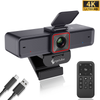
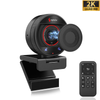
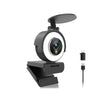
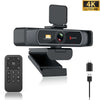
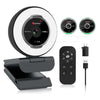

 967Ultra
 Angetube 913
 Angetube 866MAX
 Angetube 914pro
 PTZ 4K 871Ai
 Angetube 863plus
 Angetube @60FPS 873Ai
 Angetube 967Pro
 Angetube 967
 Angetube 862pro
 Angetube 628
 Angetube 920
 Angetube 963
 Angetube 962
 Angetube 827
 862Pro
 863PLUS
 913AI
913AI

Your webcam is useful when you're joining a Zoom meeting, talking with family, teaching an online class, or streaming to an audience.
But what happens when you're not using it?
That's where a webcam privacy cover comes in.
A physical webcam cover is one of the simplest ways to prevent your camera from seeing anything when you're not actively using it. Unlike software settings, it doesn't depend on an app, operating system, or camera permission.
But does a webcam privacy cover really protect your privacy? What exactly does it protect—and what doesn't it protect?
Let's take a closer look.
Do Webcam Privacy Covers Really Work?
Yes—but with an important limitation.
A physical webcam privacy cover works by blocking the camera lens. When the cover is closed, the camera cannot see the room in front of it.
This makes a privacy cover fundamentally different from simply turning your camera off in a video conferencing app.
A software setting controls whether an application can access the camera. A physical cover creates a barrier between the camera lens and the scene in front of it.
However, a webcam privacy cover is not a complete cybersecurity solution. It only addresses the camera's visual field. It doesn't protect your microphone, files, passwords, or network connection.
That's why it's better to think of a privacy cover as an additional physical privacy measure, rather than a replacement for normal security practices.
What Does a Webcam Privacy Cover Actually Do?
The idea is surprisingly simple.
A webcam contains a lens and image sensor that capture what's in front of the camera. When a physical shutter or cover is closed, it blocks the lens.
Think of it like this:
Privacy cover open
Camera → Lens → Image
Privacy cover closed
Camera → Physical barrier → No usable view
The camera itself may still be connected to your computer, but the physical barrier prevents the lens from seeing the scene.
That's the main advantage of a physical privacy cover: it doesn't rely on software to block the view.
Built-in mechanical shutters are specifically designed to physically cover the lens and can be opened again when you want to use the camera.
Privacy Cover vs. Turning Your Camera Off
So, is closing a privacy cover really different from turning your camera off?
Yes.
Here's a simple comparison:
| Privacy Method | Physically Blocks Lens | Requires Software | Protects Microphone |
|---|---|---|---|
| Turn camera off in an app | No | Yes | No |
| Change camera permissions | No | Yes | No |
| Physical privacy cover | Yes | No | No |
| Close laptop lid | Yes | No | No |
| Unplug an external webcam | Yes | No | No |
A privacy cover and software controls don't necessarily compete with each other.
In fact, they can work together.
You can use software permissions and security settings to control camera access while using a physical cover as an additional layer of visual privacy.
Can a Privacy Cover Stop Someone From Seeing Through Your Webcam?
A closed physical cover can prevent the camera lens from capturing a view of the room.
But it's important not to overstate what this means.
A privacy cover does not stop malware from accessing your webcam hardware. It simply means that, while the cover is closed, the lens is physically obstructed.
That's an important distinction.
For example, a webcam could still be detected by your computer while its lens is covered. The physical shutter is controlling what the camera can see, not whether the computer recognizes or communicates with the camera.
So instead of saying:
"A privacy cover prevents webcam hacking."
A more accurate way to think about it is:
A privacy cover physically blocks the camera's view when you don't want the lens exposed.
That makes it a simple and easy-to-understand privacy measure.
Do You Really Need a Webcam Privacy Cover?
Not everyone needs one.
If you regularly unplug your external webcam or physically disconnect it when you're finished, you already have a straightforward way to prevent it from capturing an image.
But a privacy cover can be particularly convenient if your webcam stays connected to your computer throughout the day.
Consider these situations:
Remote Workers
If you're working from home and your webcam stays connected all day, a physical shutter gives you a quick way to block the lens between meetings.
Students
Students using webcams in bedrooms, dorms, or shared spaces may prefer having a simple physical barrier when their camera isn't being used.
Online Teachers
Teachers often switch between video calls, presentations, and other applications. A physical shutter provides an easy way to cover the camera between sessions.
Content Creators
Streamers and creators may keep their webcam connected to their computer for long periods. A privacy cover can provide an easy physical reminder that the camera is closed when recording is finished.
Home Office Users
If your webcam is part of your permanent desk setup, a built-in shutter eliminates the need to find or attach a separate accessory.
Built-In Privacy Shutter vs. Stick-On Webcam Cover
There are two common approaches to webcam privacy.
1. An external webcam cover
This is usually a small adhesive accessory that attaches around the camera lens.
2. A built-in privacy shutter
This is integrated directly into the webcam and can be opened or closed when needed.
Both approaches can physically block a camera lens. But a built-in shutter has one obvious advantage:
You don't have to buy, attach, or keep track of a separate accessory.
For an external webcam, this can also create a cleaner setup.
If you're using a laptop, however, be careful with third-party covers. Some laptop manufacturers have specific guidance about cover thickness and screen clearance. Apple, for example, warns about potential display damage from covers that remain installed when a Mac laptop is closed.
A simple rule:
Buying a new webcam? Consider one with a built-in privacy shutter.
Already have a webcam without one? A compatible external cover may be an option.
Does a Webcam Privacy Cover Affect Image Quality?
Not when it's properly designed and fully opened.
When a privacy shutter is closed, of course, it blocks the lens—that's its purpose.
When the shutter is completely moved away from the lens, it should no longer obstruct the camera's view.
This is one reason an integrated sliding shutter can be convenient. You can close it when the camera isn't needed and open it when you're ready for a video call or recording.
The important thing is to make sure the shutter is fully open and clear of the lens before you start recording.
Does a Webcam Privacy Cover Protect Your Microphone?
No.
This is one of the most important things to understand about webcam privacy.
A privacy cover blocks the camera lens. It doesn't automatically disable the microphone.
Many webcams have built-in microphones, and those microphones can remain available even when the camera lens is physically covered.
For audio privacy, you'll need to use your computer or application's microphone controls, mute the microphone, or disconnect the device when appropriate.
In other words:
Camera privacy and microphone privacy are two different things.
A good webcam privacy setup should consider both.
What Should You Look for in a Webcam Privacy Cover?
If you're choosing a webcam with a privacy shutter, here are a few things worth checking.
1. Does It Fully Cover the Lens?
The most important question is simple:
Does the shutter completely block the camera lens when closed?
2. Is It Easy to Open and Close?
You shouldn't need to remove a cap or search for an accessory every time you join a meeting.
A simple sliding or built-in shutter is much more convenient for everyday use.
3. Does It Stay Attached?
An integrated shutter has an advantage here because it's part of the webcam rather than a separate accessory.
4. Does It Interfere With the Camera?
When open, the shutter should move completely away from the lens.
5. What Else Does the Webcam Offer?
Privacy is important, but it shouldn't be the only factor you consider.
When buying a webcam, also look at:
- Resolution
- Frame rate
- Autofocus
- Lighting
- Microphone quality
- Field of view
- Compatibility
- Mounting options
A privacy shutter is useful, but it doesn't automatically make a webcam a good webcam.
What About the Angetube 862Pro?
If you're looking for a webcam that combines everyday video features with built-in privacy protection, the Angetube 862Pro is one option to consider.
Angetube 862Pro 1080P 60FPS Webcam with Ring Light and Privacy Cover
The 862Pro includes a built-in privacy shutter, so you don't need to purchase a separate camera cover. It also offers 1080P video at up to 60FPS, autofocus, a built-in three-color adjustable ring light, and dual stereo noise-reduction microphones.
That combination makes it useful for more than just privacy.
For example, the built-in ring light can help improve your appearance in video calls and streaming, while 60FPS provides smoother motion than standard 30FPS video in supported applications.
The privacy shutter simply adds another layer of convenience:
Use the camera → open the shutter.
Finish your meeting → close the shutter.
No separate accessory required.
Is a Webcam Privacy Cover Enough to Keep You Safe?
Not by itself.
Think about webcam privacy as part of a larger security setup.
For better overall protection:
- Keep your operating system updated.
- Install security updates regularly.
- Review which apps have camera and microphone permissions.
- Use strong, unique passwords.
- Keep your webcam drivers and software updated when applicable.
- Close the privacy shutter when the camera isn't needed.
- Use microphone controls when you need audio privacy.
A physical privacy shutter addresses one very specific problem:
It physically blocks the camera's view.
That's useful—but it's only one part of good digital security.
Webcam Privacy Cover: The Bottom Line
So, do webcam privacy covers really work?
Yes.
A physical privacy cover provides a simple way to block the camera lens when you're not using it. Unlike software controls, it doesn't depend on an application or permission setting to physically obstruct the camera's view.
But it doesn't protect everything.
It doesn't mute your microphone, secure your files, or replace good cybersecurity practices.
For many users, that's actually the appeal.
It's simple. It's physical. And it takes only a second to close.
If you're buying a new webcam, choosing a model with a built-in privacy shutter can be an easy way to add this feature without purchasing a separate accessory.
Ready for a Webcam With Built-In Privacy Protection?
Looking for a webcam that combines 1080P 60FPS video, adjustable lighting, autofocus, stereo noise-reduction microphones, and a built-in privacy shutter?
The Angetube 862Pro brings these features together in one webcam designed for streaming, video calls, online meetings, and everyday content creation.
FAQ
Do webcam privacy covers really work?
Yes. A physical privacy cover blocks the webcam lens when closed, preventing the camera from seeing the scene in front of it.
Can a webcam privacy cover stop hackers?
A physical cover can block the camera's view, but it doesn't prevent malware from accessing the webcam or protect other parts of your computer. It should be considered an additional privacy measure, not a complete cybersecurity solution.
Does a webcam privacy cover block the microphone?
No. A privacy cover only blocks the camera lens. It does not automatically disable the webcam's microphone.
Is a built-in privacy shutter better than a separate webcam cover?
For a new external webcam, a built-in shutter is generally more convenient because it is integrated into the device and doesn't require a separate accessory. For laptops, always check the manufacturer's guidance before adding an external cover.
Should I cover my webcam when I'm not using it?
If you want an additional layer of physical privacy, closing the webcam shutter when the camera isn't in use is a simple habit.

