
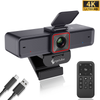
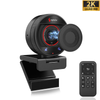
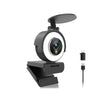
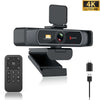
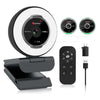
 967Ultra
 Angetube 913
 Angetube 866MAX
 Angetube 914pro
 PTZ 4K 871Ai
 Angetube 863plus
 Angetube @60FPS 873Ai
 Angetube 967Pro
 Angetube 967
 Angetube 862pro
 Angetube 628
 Angetube 920
 Angetube 963
 Angetube 962
 Angetube 827
 862Pro
 863PLUS
 913AI
913AI


The Angetube 913Max is a professional 4K webcam built with a large 1/1.5" Sony CMOS sensor that delivers significantly better image quality, low-light performance, and dynamic range than standard 4K webcams. It features 4K@30fps / 1080P@60fps video, 5X digital zoom, fast PDAF autofocus, dual noise-canceling microphones, touch controls, a physical privacy cover, and USB 3.0 connectivity with both USB-A and USB-C adapters included. Perfect for professional streamers, content creators, high-end business meetings, and anyone who wants broadcast-quality video from a plug-and-play webcam.


Frequently Asked Questions
What sensor does the 913Max use?
The Angetube 913Max uses a 1/1.5" Sony CMOS sensor, which is significantly larger than the 1/2.7" sensors found in most standard 4K webcams, delivering sharper detail, better low-light performance, and wider dynamic range.
Is the 5X zoom optical or digital?
The 913Max features 5X lossless digital zoom that maintains sharp image quality even at full zoom, perfect for framing your shot perfectly without moving the camera.
Does the 913Max work with Mac and Windows?
Yes, it's fully plug and play with no drivers required, and works with Windows 7/8/10/11, macOS 10.10+, Linux, and Chrome OS. It works with all video apps including OBS, Streamlabs, Zoom, Teams, and YouTube.
What is the difference between 913Max and 967Ultra?
The 967Ultra is a budget-friendly 4K webcam with a built-in ring light for everyday use and casual streaming. The 913Max has a much larger Sony sensor for professional-grade image quality, 5X zoom, USB 3.0, and touch controls, designed for professional streamers and content creators.
Does the 913Max have a privacy cover?
Yes, it comes with a physical privacy cover that completely blocks the lens when not in use to ensure the highest level of security.
Do I need USB 3.0 for 4K?
Yes, the 913Max uses USB 3.0 for full 4K@30fps video. It is backwards compatible with USB 2.0, but you will be limited to 1080P resolution on USB 2.0 ports.
FAQs
Is the privacy cover of the PC webcam easy to use?
There is a small sliding cover inside the privacy cover, so when I leave for a short time while I'm recording, it's easy for me to just toggle the sliding cover and come back and open it again.
When I use this PC webcam, sometimes the image does not come out, but sometimes it works fine. What is the cause of this?
If you are using a desktop computer, you can choose to connect the USB port to the socket on the back of the main unit. If it's a laptop, plug it directly into the USB port or you can also use a USB HUB with a power supply function.
The autofocus of the 1080p webcam is too frequent, can I turn off the autofocus function to stabilize the image?
Yes, you can turn off the autofocus and set a focus point manually via Amcap/OBS/Agetube software.
Why is my webcam not showing any image?
Ensure it's properly connected and recognized by your computer, check for any obstructions over the lens, or look at the driver status in the device manager.
How do I check the compatibility of my webcam?
Check the specifications of your webcam to ensure it supports your operating system version. For specific applications, check their compatibility lists.
Specifications
| Video Resolution |
1920x10801280x720.640x480 etc |
|
Frame Rate |
1080p@30FPS/sec |
|
lmage sensor |
2.0M,1/2.7 inch |
|
Format |
JPEG,YUY2 |
|
Aperture F value |
F/N2.0 |
|
View Angle |
76 degree, Vertical distortion-free |
|
Private shutter |
Yes |
|
MIC |
35db+ high sensitivity,SNR65d2 signal-to-noise ratio2-channel stereo noisereduction dual MIC,3m longdistance pickup clear and natural |
|
Tripod |
available to use camera tripod,suitable for desktopplacement,laptop, LCD or CRTmonitor |
|
System Compatible |
Windows@XP SP2,Windows 7 / 8 /10/ Mac OS 10.6Linux2.6.24 OR /Chrome OS 29.0.1547.70/,Android V 5.0/SmartTV and TV BOX,XBox One""; Ubuntu Linux 10.04;OBSFacebook, YouTubeXbox one, xsplit, Skype |
|
App |
Z0OM, Skype, FaceTime, Hangouts, WebEx.OBS, Facebook , YouTube Teams ,XSplitetc |
|
Configurationrequirements |
2.4GHZ Intel Core2 DuoProcessor or higher,2GB of ram orhigher, USB2.0 port (USB3.0is required for 4K products) |
Reviews
Shipping & Return
Shipping cost is based on weight. Just add products to your cart and use the Shipping Calculator to see the shipping price.
We want you to be 100% satisfied with your purchase. Items can be returned or exchanged within 30 days of delivery.