
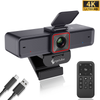
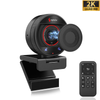
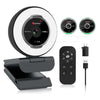
 967Ultra
 Angetube 913
 Angetube 866MAX
 Angetube 914pro
 PTZ 4K 871Ai
 Angetube 863plus
 Angetube @60FPS 873Ai
 Angetube 967Pro
 Angetube 967
 Angetube 862pro
 Angetube 628
 Angetube 920
 Angetube 963
 Angetube 962
 Angetube 827

Choosing a new webcam can be surprisingly difficult. You may see 4K webcam, 1080p webcam, 60FPS, autofocus, and wide-angle lens everywhere—but which features actually matter?
The biggest question is often simple: Should you buy a 4K webcam or a 1080p webcam?
The answer depends on how you use your camera.
A 4K webcam offers significantly more image detail and gives creators more flexibility for recording, cropping, and professional video production. A 1080p webcam, meanwhile, can provide excellent video quality with lower bandwidth and is more than enough for many everyday video calls and online meetings.
Let's break down the differences and help you find the right webcam for your setup.
4K vs 1080p Webcam: What's the Difference?
The main difference is resolution.
A 1080p webcam captures video at 1920 × 1080 pixels, while a 4K webcam typically captures at 3840 × 2160 pixels. That means 4K contains roughly four times as many pixels as 1080p.
| Feature | 1080p Webcam | 4K Webcam |
|---|---|---|
| Resolution | 1920 × 1080 | 3840 × 2160 |
| Image Detail | Excellent | Extremely Detailed |
| Typical FPS | 30–60 FPS | 30 FPS at 4K, often 60 FPS at 1080p |
| Video Calls | Excellent | Excellent |
| Streaming | Great | Excellent |
| Content Creation | Great | Best for high-resolution content |
| Cropping | Limited | More flexibility |
| Bandwidth | Lower | Higher |
However, more pixels don't automatically mean a better-looking video.
Sensor quality, lens quality, autofocus, lighting, frame rate, and image processing can have a major impact on the final image.
Is a 4K Webcam Better Than 1080p?
Not necessarily.
For everyday video conferencing, a good 1080p webcam can already deliver sharp and professional-looking video. In fact, many video conferencing platforms compress video during calls, so your camera's native 4K resolution may not always be transmitted to the other person as true 4K.
But 4K becomes much more useful when you're:
- Recording videos
- Creating YouTube content
- Live streaming
- Recording online courses
- Cropping or reframing footage
- Using a large display
- Wanting maximum image detail
For creators, the extra resolution can provide more flexibility during editing. You can crop a 4K recording and still maintain a sharp 1080p output.
When Should You Choose a 1080p Webcam?
A 1080p webcam is an excellent choice if your primary use is:
💻 Video Conferencing
For Zoom, Microsoft Teams, Google Meet, and similar platforms, 1080p can provide a sharp and natural image without requiring the additional bandwidth and processing associated with 4K.
🏠 Home Office
If you're working remotely and spend hours on video calls, a reliable 1080p webcam with autofocus, automatic light correction, and noise-reducing microphones may be more valuable than simply upgrading the resolution.
🎓 Online Classes
Teachers and students generally don't need 4K to communicate clearly. A good 1080p webcam can provide enough detail for face-to-face online learning.
💰 Better Value
If you're looking for an affordable webcam with reliable image quality, 1080p offers an excellent balance between performance and price.
When Is a 4K Webcam Worth It?
A 4K webcam makes more sense when image detail is a priority.
🎥 Content Creation
If you're recording YouTube videos, tutorials, product demonstrations, or online courses, 4K gives you more information to work with during editing.
🎮 Live Streaming
For professional streaming setups, a 4K webcam can provide higher-resolution source footage and more flexibility when creating scenes or cropping your image.
🔍 Digital Cropping
One of the biggest advantages of a 4K webcam is the ability to crop or digitally reframe your footage while retaining more detail.
👨👩👧👦 Group Meetings
A 4K webcam combined with a suitable wide-angle lens can capture more people and more of the room while maintaining detailed video.
Don't Choose a Webcam Based on Resolution Alone
Here's something many buyers overlook:
4K isn't the only thing that determines image quality.
Before buying a webcam, pay attention to these features:
1. Sensor Quality
A good CMOS sensor can have a major impact on color, detail, and low-light performance.
2. Autofocus
An autofocus webcam can keep your face sharp when you move closer to or farther from the camera.
Advanced autofocus technologies such as PDAF can help achieve faster and more precise focusing.
3. Field of View
A wider field of view is useful for group meetings, presentations, classrooms, and streaming setups.
For example:
78° → Personal video calls
90° → Small groups and presentations
120° → Large groups and wider scenes
4. Frame Rate
Frame rate determines how smoothly motion appears.
For example, 1080p at 60FPS can provide smoother motion than 1080p at 30FPS and can be particularly useful for streaming and fast movement.
5. Lighting
Even an expensive 4K webcam can produce poor-looking video in bad lighting.
Features such as automatic light correction, HDR, and good low-light processing can make a significant difference.
4K vs 1080p: Which Webcam Is Right for You?
Here's a simple way to decide:
Choose 1080p if you mainly use your webcam for:
- Zoom meetings
- Microsoft Teams
- Google Meet
- Remote work
- Online classes
- Everyday video calls
Choose 4K if you mainly use your webcam for:
- Live streaming
- YouTube videos
- Content creation
- Online courses
- Product demonstrations
- High-resolution recording
- Digital cropping and reframing
And if you want the best overall experience, don't just look at the resolution. Consider sensor quality, autofocus, field of view, frame rate, microphones, lighting, and compatibility.
4K or 1080p: The Best Webcam Is the One That Fits Your Needs
There is no single “best webcam” for everyone.
A professional content creator may benefit from the extra detail and flexibility of a 4K webcam, while someone working from home may get everything they need from a high-quality 1080p webcam.
The key is to choose a camera based on how you actually use it, rather than simply choosing the biggest number on the specification sheet.
Whether you need a 4K webcam for streaming or an 1080p webcam for video conferencing, Angetube offers webcam solutions designed to deliver clear video, reliable autofocus, and an easy plug-and-play experience.
Choose the resolution that fits your workflow—and focus on the features that make you look and sound your best.
Frequently Asked Questions
Is 4K better than 1080p for webcams?
4K provides more image detail, but it isn't always necessary. For everyday video calls, a high-quality 1080p webcam can be more than sufficient. 4K is particularly useful for recording, streaming, editing, and digital cropping.
Is 1080p enough for Zoom?
Yes. A good 1080p webcam is suitable for most video conferencing situations. The final quality also depends on your internet connection, lighting, computer, and the conferencing platform.
Is a 4K webcam good for streaming?
Yes. A 4K webcam can provide a high-resolution source for streaming and content creation, while also giving you more flexibility for cropping and reframing.
Is 60FPS better than 30FPS?
60FPS produces smoother motion, making it useful for streaming and situations involving movement. However, 30FPS is sufficient for many video calls and office meetings.
What else should I look for in a webcam?
Besides resolution, consider autofocus, sensor quality, field of view, frame rate, microphone quality, low-light performance, automatic light correction, USB compatibility, and privacy features.


